Posts

Thread Termination and Demon Thread

Image
 Thread Termination: Why : Because Thread are Consuming Resources : Like Memory, Kernel Recourses, cpu Cycle and cache memory When: 1. if thread finished its work, so we need to clean up the thread's resources 2. if thread misbehaving  3. By default application will not stope the thread as long as at least one thread is still running  Therad.intrrupt(): 1 if the thread is executing a method that throws an intrrupedException 2. if the thread's code is handling the interrupt signal explicitly  3.  If any one of the thread is in sleeping or waiting state (i.e. sleep() or wait() is invoked), calling the Thread.interrupt() method on the thread, breaks out the sleeping or waiting state throwing InterruptedException. If the thread is not in the sleeping or waiting state, calling the interrupt() method performs normal behavior and doesn't interrupt the thread but sets the interrupt flag to true   Daemon Thread: Daemon threads are thread that do not prevent the...

How to Create Threads in Java

Image
How to Create Thread There are two ways to Create Thread  1 Extending Thread Class public class ThreadClass extends Thread { @Override public void run() { System . out .println( "Thread Running Thread " +Thread. currentThread ().getName()); } } 2. Runnable Interface public class RunnableClass implements Runnable { @Override public void run() { System. out .println( "Runnable Running Thread " +Thread. currentThread ().getName()); } } Main Class how to Call the Thread and Runnable Threads public class Main { public static void main(String[] args ) { ThreadClass tClass = new ThreadClass(); tClass .start(); RunnableClass rClass = new RunnableClass(); Thread rThread = new Thread( rClass ); rThread .start(); } }    Both will Create the Similar Thread but there are some Advantages as Runnable Interface are 1.  Less memory required for Runnable Interface 2.  If a class is implementing the runnable interface then ...

1 Java Data Structure

 Introduction Foundation Of Java: Basics

Junit 5 (Jupiter) Intro and Architecture

Image
 Junit Api called Jupiter (as we all know Jupiter is 5th planet in solar system) Jupiter : Its Junit 5  Vintage : is another set of Api that you can use where you are running older junit test, so that you can have your old junit which was written on junit 4 also can run parallel with your Junit 5(Jupiter) Ext 3rd Party : This is your own extensions which you have written and have it still use the platform to run the test case IDE : almost all IDE support junit 5 ( Like Eclipse, Intelij) means integrated system will allow you when you click on your Java Class file and write junit test file it will directly pop up with the java 5 Jupiter option  Junit Jupiter 1. Its New Programming Model in Junit 2. Extension Model  3. What you will be primarily working with                                                      ...

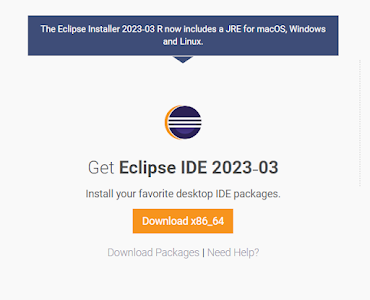
How to install Eclipse IDE 2023-03 on Windows 10 2023 Course

Image
 Eclipse Installation What is IDE An integrated development environment (IDE) is software for building applications that combines common developer tools into a single graphical user interface (GUI). Eclipse Installation Link Download Latest and install on our system  https://www.eclipse.org/downloads/

How Spring Boot Auto Configuration works | Spring boot Tutorial

 How Spring Boot Auto Configuration works 1. Starter parent Dependency  provides a default configuration for spring application 2. 

Spring Boot Introduction

Image
Spring Boot Introduction 1. Spring Boot is java Framework that speeds up the Development 2. Spring Boot Provides you Production grade rapid application development  3. Spring Boot Allows us to Build Web and stand-alone applications very quickly  4. Spring Boot has its Embedded  Server which allows us to deploy immediately after the build your code 5. Spring Boot Scan classpath and find the dependency and will automatically Configure the dependencies which we have added into our Pom.xml file, like if we added JPA in pom then you will be able to use your ability to use hibernate  6. you can run your jar file as runnable as the embedded server has already a server that will deploy your code automatically  7. Spring Boot provides production-ready features such as metrics, health checks, and externalized configuration